Robotic process automation is a software-based automation technology that uses digital bots to complete repetitive, rules-based tasks normally performed by people on computers. RPA bots can enter and transfer data, process transactions, update records, generate reports, manage files, and interact with multiple applications according to predefined instructions.
This guide explains robotic process automation, RPA meaning, how the RPA process works, the main types of RPA, suitable automation tasks, RPA software and tools, business benefits, healthcare and industry applications, implementation methods, performance metrics, AI integration, challenges, and future trends.
What Is Robotic Process Automation?
Robotic process automation, or RPA, is a technology that uses software bots to automate repetitive, structured, and rules-based computer tasks. These bots interact with applications through user interfaces, APIs, or integrations to perform actions such as entering data, moving files, checking records, processing transactions, and updating business systems.
Unlike industrial robots that physically move materials or operate machinery, RPA robots exist in software. They can work across websites, spreadsheets, ERP platforms, CRM systems, email, databases, legacy software, and other digital environments. IBM describes RPA as software robotics that combines UI interactions and APIs to execute repetitive work across enterprise applications.
The value of RPA comes from turning predictable digital work into a repeatable automated workflow. Instead of requiring an employee to open five applications, copy information, validate fields, and update records hundreds of times per day, the same sequence can be configured once and executed consistently by software bots.
What Does RPA Mean?
RPA means Robotic Process Automation, which describes the use of software robots to follow predefined instructions and perform repetitive digital tasks that previously required manual human interaction.
The word “robotic” can be misleading because RPA does not normally involve a physical robot. The Enterprisers Project explains that the robot is software running on a physical or virtual computer and reproducing human-computer interactions such as copying data, moving files, filling fields, and following multi-step workflows.
A simple way to understand RPA is:
Human Defines The Rules → Software Bot Executes The Rules → Business Task Is Completed Automatically
This distinction is important for companies evaluating automation. RPA is strongest when the task already has clear logic. If employees cannot consistently explain how a decision is made, traditional RPA usually cannot automate that decision reliably without AI or human review.
What Does RPA Do?
RPA automates structured digital actions such as data entry, information transfer, transaction processing, file management, record validation, reporting, and routine interactions between software applications.
A bot might open an email attachment, extract an invoice number, check a purchase order, enter approved information into an ERP system, update a spreadsheet, and send a confirmation message. The workflow can run according to a schedule, a system event, a queue, or an action initiated by an employee.
Common tasks include:
- Data entry and data extraction
- File and folder management
- Invoice processing
- Order processing
- Report generation
- Record validation
- Email processing
- Account updates
- Data migration
- Scheduled reconciliations
SAP similarly describes RPA as software bots that click, type, move data, and interact with applications in ways comparable to human users, but with automated execution.
The important boundary is judgment. Traditional RPA performs the steps it has been taught. It does not inherently understand ambiguous documents, negotiate with customers, interpret uncertain language, or make strategic decisions. Those tasks require AI, other software logic, or human involvement.
Why Does RPA Matter For Businesses?
RPA matters for businesses because it can reduce repetitive manual work while improving processing speed, consistency, operational capacity, auditability, and employee productivity.
Routine digital tasks often consume large amounts of employee time without requiring substantial judgment. When appropriate tasks are automated, employees can focus more on customer communication, analysis, engineering, exception handling, decision-making, and process improvement instead of repeatedly transferring information between screens.
UiPath highlights faster execution, consistent processing, reduced data-entry errors, 24/7 operation where appropriate, lower rework, and scalable automation as major business benefits of RPA. It also emphasizes that bots can connect siloed systems and legacy applications without requiring every workflow to be rebuilt from the ground up.
The strongest business case is therefore not simply “replace manual labor.” Companies should determine whether automation reduces cycle time, removes bottlenecks, improves service levels, increases capacity, or lowers error-related costs. A process that consumes only a few minutes each month may not justify an RPA project even if it is technically automatable.
How Is RPA Different From Traditional Automation?
RPA differs from traditional automation because it can automate work through existing application interfaces, while traditional software automation often depends more heavily on APIs, databases, custom integrations, scripts, or changes to underlying systems.
| Factor | RPA | Traditional Automation |
| Main interaction | UI, applications, APIs | APIs, databases, custom code |
| Development approach | Often low-code | Often developer-led |
| Legacy-system support | Strong | Integration-dependent |
| Best use | Repetitive digital workflows | System-level automation |
| Application changes | Can affect UI bots | Depends on integration |
| Deployment | Often relatively fast | Can require more engineering |
| Governance need | High at scale | High at scale |
RPA is valuable when employees must repeatedly work across applications that are difficult to integrate directly. Because the bot can imitate actions on the interface, it can bridge older and newer systems without immediately replacing either platform. SAP specifically notes this advantage for legacy systems and applications without convenient API access.
However, UI automation is not automatically superior to APIs. Where reliable APIs exist, direct system integration can be more robust than visually interacting with buttons and fields. Strong automation architecture chooses the most stable integration method for each step rather than forcing every process through an RPA interface.
How Does Robotic Process Automation Work?
Robotic process automation works by converting a repeatable business workflow into digital instructions that software bots execute through applications, interfaces, APIs, rules, triggers, and exception paths. A typical RPA process identifies the task, defines inputs and decisions, configures the bot, tests the workflow, deploys it, and monitors performance.
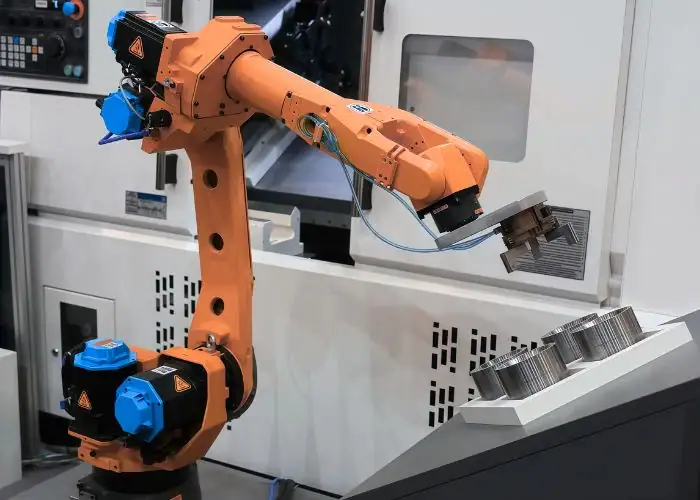
Modern RPA platforms provide development environments where teams can define what happens at each stage of a workflow. Some tasks use screen interaction, others access APIs, spreadsheets, databases, documents, email, or enterprise systems directly. IBM describes enterprise RPA as combining UI interaction and integration capabilities across otherwise separate applications.
A simplified RPA workflow is:
Identify Process → Define Rules → Build Bot → Connect Systems → Test → Deploy → Monitor → Improve
Step 1: Identify A Rule-Based Process
The first RPA step is identifying a process that is repetitive, predictable, sufficiently high-volume, and governed by rules that can be described clearly.
The strongest candidates usually involve the same actions being performed repeatedly with known inputs and outputs. Examples include transferring order data, reconciling records, downloading reports, updating customer information, processing standard invoices, or checking values against predefined thresholds.
The Enterprisers Project identifies four useful characteristics for evaluating RPA suitability: the workflow should be rule-based, repeated regularly or triggered predictably, have defined inputs and outputs, and occur at sufficient volume.
This selection stage has major financial implications. Automating a stable process with 20,000 monthly transactions may generate substantial value. Automating a constantly changing workflow with many unpredictable exceptions may create more maintenance cost than labor savings.
Step 2: Capture Inputs And Business Rules
The second RPA step is defining the inputs, decision rules, expected outputs, exceptions, approvals, and system interactions that determine how the workflow operates.
A useful process map follows:
Trigger → Input → Validation → Decision → Action → Output → Exception
For an invoice workflow, the bot may need supplier details, purchase-order data, invoice values, tax information, approval status, and ERP access. Rules then determine which transactions can be posted automatically and which must be routed to an employee.
This step should capture real operating conditions rather than only the ideal process. If 20% of invoices arrive without a purchase-order reference, that exception must be designed into the automation. Otherwise, the bot may work perfectly during demonstrations but fail repeatedly in production.
Step 3: Configure The RPA Bot
The third RPA step is configuring the bot with the workflow logic, application interactions, rules, conditions, loops, data transformations, and exception handling required to complete the task.
Many robotic process automation tools provide visual or low-code builders that allow actions to be arranged into workflows. SAP also describes workflow recording, where user actions can be captured and transformed into repeatable automation sequences.
Simple recording, however, is only the starting point for reliable enterprise automation. Production bots usually require validation rules, reusable components, secure credential handling, logging, recovery behavior, error handling, and controlled deployment.
Poorly structured automation can become difficult to maintain even if the first version works. Development standards matter because a bot may remain in production for years while the applications, business rules, users, and infrastructure around it continue changing.
Step 4: Connect Applications And Systems
The fourth RPA step is connecting the bot to every application, data source, and digital environment required to complete the process.
Connections may include:
- ERP systems
- CRM platforms
- Web applications
- Desktop software
- Spreadsheets
- Databases
- APIs
- Document-management systems
- Internal portals
- Virtual desktops
One reason RPA became popular is that companies often operate many applications that were never designed to communicate with one another. IBM notes that RPA can combine APIs and UI interactions to perform tasks across unrelated enterprise systems.
A mature implementation uses the most appropriate connection method for each system. UI automation may be appropriate for an old application without an API, while direct API communication may be preferable for a modern cloud platform.
Step 5: Execute Automated Tasks
The fifth RPA step is allowing the bot to execute the configured workflow after an employee, schedule, incoming transaction, system event, or other trigger starts the process.
For example, an invoice bot may:
- Detect a new invoice.
- Extract invoice information.
- Validate supplier data.
- Check the matching purchase order.
- Compare quantities and values.
- Enter approved information into the ERP.
- Route discrepancies to an employee.
- Record the completed transaction.
The bot does not need to imitate every human action exactly. A well-designed automation may remove unnecessary steps, use APIs where possible, process data in batches, and automatically separate routine transactions from exceptions.
The goal is therefore not to reproduce an inefficient manual workflow faster. The better approach is to simplify the process first and then automate the version that creates the greatest business value.
Step 6: Monitor Results And Exceptions
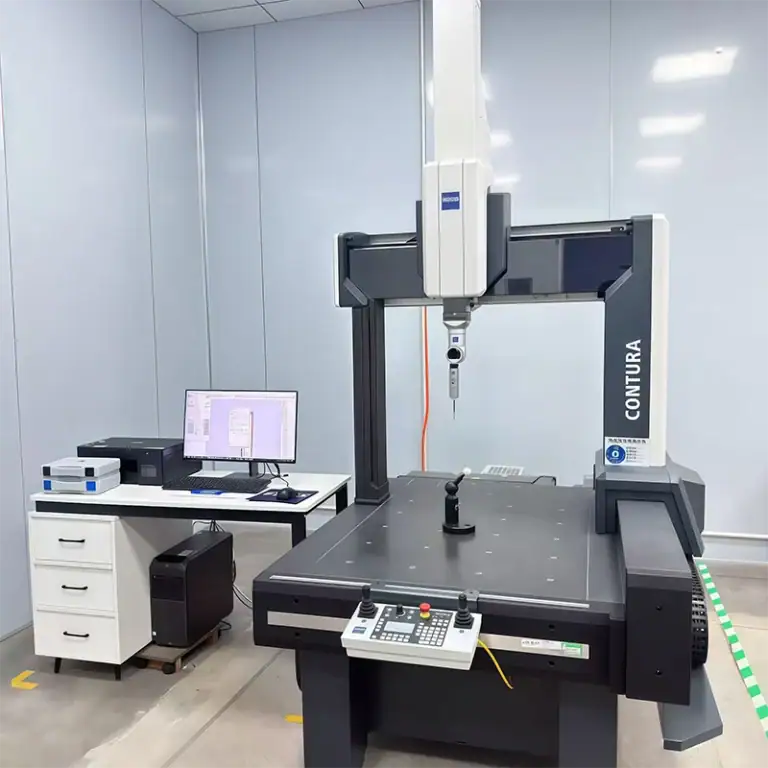
The final RPA step is monitoring automation performance, identifying failed transactions and exceptions, updating bots when systems change, and continuously improving the workflow. In manufacturing environments, RPA can also support CNC machining operations by collecting production data, updating ERP or MES records, tracking job status, and routing machining or inspection exceptions to the appropriate team.
Useful monitoring data includes transaction volume, completion rate, exception rate, average processing time, bot availability, manual interventions, queue length, and cost per transaction. For CNC machining workflows, companies may also monitor machine status, production quantities, inspection results, tool-related alerts, job completion, and schedule changes when this information is available through connected systems.
Production RPA should be treated as an operational system rather than a one-time automation project. If a CNC machining job fails inspection, a machine reports downtime, or production data falls outside predefined conditions, an RPA bot can trigger notifications, update manufacturing records, create follow-up tasks, or route the issue to engineering and quality teams. RPA supports the information workflow around machining rather than replacing the CNC controller or machining program itself.
This means each important automation should have an owner, documentation, alerting rules, change-management procedures, test cases, and a defined response when the bot cannot complete a transaction. For manufacturers using CNC machining, connecting RPA with ERP, MES, quality systems, and machine-monitoring data can improve production visibility while keeping machining decisions, toolpath control, and critical quality judgments under appropriate engineering supervision.
What Are The Main Types Of RPA?
The main types of RPA are attended RPA, unattended RPA, and hybrid RPA. Intelligent RPA extends these models by combining rules-based bots with artificial intelligence technologies that can process documents, language, images, predictions, and other information that basic RPA cannot interpret effectively.
The difference between attended and unattended automation mainly concerns how humans interact with the process. Automation Anywhere defines three broad categories—attended, unattended, and hybrid—while SAP highlights attended and unattended as the two primary operating models.
| RPA Type | Human Involvement | Typical Application |
| Attended | Frequent | Customer service, desktop assistance |
| Unattended | Low | Back-office batch processing |
| Hybrid | Mixed | Processes with exceptions |
| Intelligent RPA | Variable | Documents and AI-assisted workflows |
Attended RPA
Attended RPA works alongside an employee and is normally triggered when that employee needs automation support during an active business process.
A customer-service representative may launch a bot while speaking with a customer. The bot can retrieve records from several systems, populate common fields, verify information, and prepare the next action while the employee remains responsible for communication, approvals, and judgment.
Automation Anywhere describes attended automation as human-initiated RPA used to assist interactive processes such as customer service and IT help desks.
The main advantage is that repetitive screen work can be automated without removing the human from situations that require context. Attended RPA is particularly effective when employees spend substantial time searching, copying, or entering information during customer-facing workflows.
Its limitation is that it does not eliminate the need for the employee to be present. If the process can run independently and does not require real-time human decisions, unattended automation may provide greater operational capacity.
Unattended RPA
Unattended RPA runs independently according to predefined schedules, triggers, queues, or system events without requiring a person to start each transaction.
Typical applications include overnight reconciliation, report preparation, scheduled data transfers, account updates, transaction processing, invoice entry, inventory synchronization, and back-office administration.
SAP explains that unattended bots run independently and can be activated by schedules or predefined conditions. Automation Anywhere similarly positions unattended RPA for back-office activities such as data entry, IT operations, and application integration.
This model can support extended operating hours because digital workers are not limited to a normal office schedule. However, unattended operation makes exception handling and monitoring more important. A bot that fails at 2:00a.m. needs an alerting and recovery process.
Hybrid RPA
Hybrid RPA combines attended and unattended automation so bots and employees can participate at different stages of the same workflow.
For example, an unattended bot may automatically process 900 standard transactions. Another 100 transactions may contain missing information, conflicting values, or policy exceptions and therefore be routed to employees. After those decisions are completed, the bot can resume the remaining automated steps.
Automation Anywhere describes hybrid RPA as a combination in which workers and automations collaborate to complete processes that cannot be handled entirely by one approach.
Hybrid models are often more realistic than attempting 100% automation. The economic objective is not necessarily to eliminate every human touch. It may be more valuable to automate 80–90% of routine work while keeping experienced employees focused on the small percentage of transactions requiring judgment.
Intelligent RPA
Intelligent RPA combines deterministic RPA execution with AI technologies that help interpret information, classify inputs, recognize patterns, or support decisions.
Possible technologies include:
- Machine learning
- Natural language processing
- Computer vision
- Intelligent document processing
- Generative AI
- Predictive models
IBM describes intelligent automation as an extension of RPA that incorporates AI disciplines such as machine learning, NLP, and computer vision.
For example, a traditional RPA bot may be able to read data only from fixed invoice fields. Intelligent document processing can first identify supplier name, value, date, and invoice number across many document layouts, RPA can then enter those values into the ERP.
The important distinction is that the AI layer interprets uncertain information while the RPA layer performs controlled actions. Combining them expands the number of processes that can be automated without removing the need for validation and governance.
What Processes Are Best Suited For RPA?
Processes best suited for RPA are repetitive, high-volume, rules-based, stable, digitally accessible, and based on clearly defined inputs and outputs. RPA is less suitable for processes dominated by subjective judgment, constantly changing procedures, highly unpredictable exceptions, or poorly structured source data.
Process selection strongly influences automation ROI. A technically impressive bot can still be a poor investment if the underlying workflow has low volume, frequent changes, or substantial human judgment.
| Process Characteristic | RPA Suitability |
| High transaction volume | High |
| Clear business rules | High |
| Defined inputs and outputs | High |
| Stable applications | High |
| Repetitive manual effort | High |
| Frequent subjective decisions | Low |
| Constant process changes | Low |
| Extremely irregular data | Lower without AI |
Repetitive And High-Volume Tasks
Repetitive and high-volume tasks are strong RPA candidates because each automated transaction contributes additional time and cost savings.
A task that takes three minutes may appear insignificant. If employees perform it 20,000 times per month, however, it represents roughly1,000hours of manual activity before considering errors, delays, and management overhead.
The Enterprisers Project identifies high-volume repetitive data processing as one of the clearest indicators of a good RPA candidate.
Companies should therefore measure frequency rather than judging automation potential only by the complexity of individual transactions. Simple tasks often produce substantial ROI precisely because they occur so frequently.
Rule-Based And Predictable Processes
Rule-based and predictable processes are suitable for RPA because bots need clear instructions for determining what action should occur under each condition.
For example:
If Invoice Value = Purchase Order Value → Continue
If Invoice Value ≠ Purchase Order Value → Route To Review
This logic is easy to translate into automation because the required action is deterministic. The bot does not need to understand why the discrepancy occurred.
Processes involving negotiation, subjective assessment, strategic decisions, or ambiguous context are different. Traditional RPA cannot reliably reproduce judgment that employees themselves cannot define as consistent rules.
Structured Digital Data
Structured digital data is well suited to RPA because bots can reliably read fields, tables, forms, records, spreadsheets, and standardized database information.
Invoices arriving in one consistent electronic format, for example, are easier to automate than photographs of handwritten invoices with inconsistent layouts.
Unstructured inputs do not necessarily make automation impossible. They simply change the technology stack. Document AI, OCR, NLP, computer vision, or generative AI may first convert the information into structured data before an RPA bot continues the process.
This distinction helps prevent companies from expecting basic RPA software to solve data interpretation problems it was not designed to address.
Processes Across Multiple Applications
Processes that require employees to move repeatedly between applications are particularly strong candidates for RPA.
A procurement employee may receive information in email, verify a vendor in a web portal, enter a purchase order into ERP software, update a spreadsheet, and create a document in another system. Individually, none of these steps is difficult, but repeating the sequence hundreds of times can consume significant labor.
UiPath and IBM both emphasize RPA’s ability to bridge systems through UI interaction, APIs, and integrations, including environments where applications are siloed or legacy systems are involved.
This makes RPA particularly valuable as a practical integration layer where rebuilding the full IT architecture would be too slow or expensive.
Tasks With High Manual Error Rates
Tasks with high manual error rates can benefit from RPA when those errors result from repetitive copying, typing, checking, calculation, or data transfer.
A properly validated bot performs the programmed steps consistently and does not become tired or skip fields because of workload. This can improve data consistency and reduce downstream rework.
However, RPA can also automate mistakes very efficiently. If the rule is wrong, the bot may repeat the same incorrect action thousands of times.
Testing must therefore include normal cases, edge cases, invalid inputs, missing data, system failures, and unexpected application responses before production deployment.
What Are Common RPA Use Cases?
Common RPA use cases include finance and accounting, human resources, operations, customer service, data entry, data migration, invoice processing, reporting, procurement, IT administration, and other workflows that repeatedly move information between digital systems.
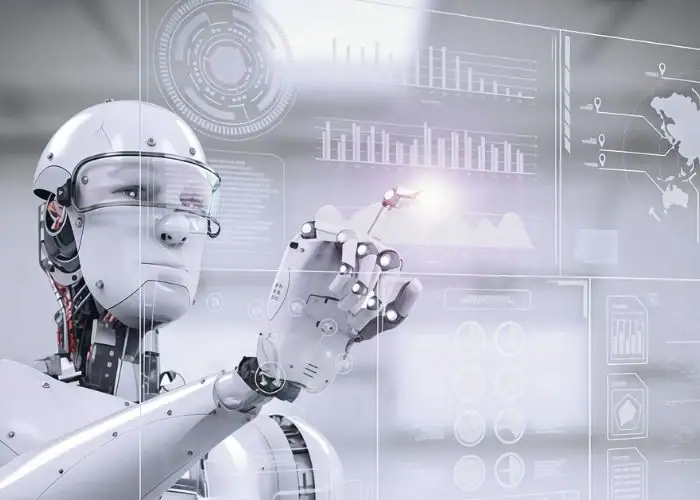
SAP and UiPath both identify finance, HR, customer service, IT, procurement, healthcare, manufacturing, and other functions as common RPA environments.
Finance And Accounting
Finance and accounting use RPA for invoice processing, accounts payable, reconciliation, scheduled reporting, transaction validation, financial close support, and information transfer between finance systems.
SAP describes unattended bots extracting invoice information, entering it into ERP systems, reconciling bank statements, and generating scheduled financial reports.
A well-designed accounts-payable process may automatically handle invoices that match purchase orders and approved suppliers while routing mismatches for manual review.
This reduces repetitive entry without removing financial controls. Approval thresholds, segregation of duties, exception procedures, audit logs, and access permissions should remain part of the process.
Human Resources
Human resources uses RPA to automate employee onboarding, document preparation, record updates, payroll-related administration, benefits processing, and account setup.
SAP gives offer-letter production, onboarding, and employee record maintenance as examples of attended automation in HR.
An onboarding bot might create system accounts, populate employee information, send standard documentation, schedule required training, and notify departments after a new employee is approved.
Human decisions—such as selecting candidates, evaluating performance, resolving conflicts, or determining compensation—should not be treated as routine rules-based automation simply because related administrative steps can be automated.
Operations
Operations teams use RPA for inventory updates, purchase orders, production reporting, supply-chain administration, data synchronization, order management, and routine communication between operational systems.
In manufacturing, RPA usually works at the software and information layer. It can connect ERP, MES, QMS, inventory systems, spreadsheets, supplier portals, and reporting applications.
Automation Anywhere lists inventory management, purchase-order and shipment processing, and quality-data activities among manufacturing RPA use cases.
RPA should therefore not be confused with physical factory automation. Industrial robots manipulate components and tools, RPA bots manipulate information and software processes.
Customer Service
Customer service uses RPA to retrieve account information, update records, route tickets, create cases, populate forms, and automate common digital tasks during customer interactions.
Attended RPA is particularly useful because a representative can continue speaking with a customer while the bot gathers information from several systems.
UiPath lists ticket routing, data updates, and response automation among common customer-service applications.
The business value comes from reducing screen navigation and waiting time rather than automating every customer conversation. Complex complaints, negotiation, empathy, and unusual decisions still require appropriate human involvement.
Data Entry And Data Migration
RPA automates data entry and migration by moving information between systems according to predefined mappings, validation rules, and workflow logic.
This is useful when companies migrate from legacy systems, merge business units, clean CRM records, synchronize databases, or temporarily need to bridge systems before a permanent integration is available.
Data quality is the main constraint. Automation can move millions of records faster, but it cannot automatically make incorrect or duplicated data trustworthy.
A strong migration workflow includes validation, deduplication, reconciliation, exception reporting, and sample verification before the source system is retired.
Invoice And Order Processing
RPA automates invoice and order processing by extracting data, checking records, applying standard rules, entering transactions, and routing exceptions.
A common workflow is:
Receive Document → Extract Data → Validate Supplier → Match PO → Check Amount → Approve Or Escalate → Post To ERP
UiPath lists invoice processing and order-to-cash among major enterprise automation areas.
These processes are good candidates because transaction volumes can be high and many decisions follow clear rules. However, irregular suppliers, missing references, pricing disputes, tax differences, or damaged orders still require carefully designed exception handling.
Where Is Robotic Process Automation Used?
Robotic process automation is used across healthcare, banking, financial services, manufacturing, insurance, retail, IT, government, finance, HR, procurement, and other sectors where employees perform repetitive digital processes across applications.
UiPath identifies RPA use across healthcare, manufacturing, retail, insurance, finance, HR, customer service, IT, procurement, and other enterprise functions.
Healthcare
Healthcare uses RPA for administrative workflows including appointment management, claims processing, billing, patient-data updates, reporting, HR administration, and other structured digital activities.
Automation Anywhere identifies patient scheduling, claims processing, and electronic health-record data management as major healthcare RPA applications.
The strongest opportunities are usually administrative rather than clinical because rules-based bots are better suited to transferring and validating information than making medical judgments.
Healthcare deployments also require strong attention to privacy, credentials, auditability, access control, exception management, and the handling of sensitive patient information.
Banking And Financial Services
Banking and financial services use RPA for customer onboarding, loan administration, reconciliation, compliance reporting, account updates, transaction processing, and repetitive back-office work.
Automation Anywhere highlights onboarding, loan-processing support, document checks, and regulatory reporting as common financial-services applications.
The sector is well suited to RPA because transaction volumes are high and many procedures are governed by explicit rules. However, financial institutions also require rigorous security, access control, audit trails, validation, and change management.
RPA can automate collection and execution, while credit decisions, fraud investigation, investment judgment, and other high-impact activities may require specialist employees or governed AI systems.
Manufacturing
Manufacturing uses RPA primarily to automate information flows around production rather than the physical machining, welding, assembling, or moving of components.
Typical applications include inventory updates, purchase-order management, supplier information, production reporting, quality-data collection, logistics records, invoices, and ERP administration.
Automation Anywhere specifically identifies inventory management, order processing, shipment tracking, and quality-data activity as manufacturing RPA use cases.
This distinction matters because “robotic automation” can refer to physical robots on the factory floor, whereas robotic process automation normally refers to software bots working within digital systems.
Insurance
Insurance uses RPA for claims administration, policy updates, customer-data validation, premium processing, regulatory reporting, and repetitive underwriting support.
UiPath identifies claims handling, policy administration, and underwriting support among industry applications.
Claims processes often contain both automatable and judgment-based work. A bot may gather documents, validate policy information, update systems, and calculate defined values, while adjusters investigate unusual or disputed claims.
This makes hybrid RPA particularly useful because routine transactions can move quickly while human expertise remains available for exceptions.
Retail And E-Commerce
Retail and e-commerce use RPA for order processing, inventory reconciliation, product-data updates, returns administration, pricing workflows, customer information, and reporting.
UiPath lists order processing, customer service, and inventory reconciliation as retail applications.
Retail businesses often operate many disconnected platforms, including online stores, ERP, warehouse software, payment systems, marketplaces, carrier portals, and customer-service tools.
RPA can bridge these environments where permanent integration is unavailable or where staff otherwise transfer the same information repeatedly.
Information Technology
Information technology uses RPA for user provisioning, password and access workflows, service-desk administration, scheduled tasks, reporting, data collection, system monitoring, and backup-related activities.
UiPath gives user provisioning, monitoring, and backup processes as examples of IT automation.
RPA is useful when the operation is predictable and spans multiple interfaces. More complex infrastructure configuration may be better handled through scripts, configuration-management tools, APIs, or dedicated DevOps automation.
The best solution therefore depends on the nature of the task rather than assuming RPA should automate every IT process.
What Is RPA Software And What Are RPA Tools?
RPA software and RPA tools are platforms used to design, execute, schedule, orchestrate, monitor, secure, maintain, and analyze software bots that automate digital business processes. Enterprise platforms typically combine workflow development, UI automation, integrations, credential control, centralized management, analytics, and governance.
Modern RPA software has expanded far beyond simple macro recording. UiPath highlights low-code development, integration, orchestration, centralized management, AI, security, and flexible deployment as important capabilities for enterprise-scale automation.
RPA Development Tools
RPA development tools allow workflows to be created using visual activities, reusable components, conditions, loops, variables, application actions, APIs, and business rules.
Low-code development reduces the amount of traditional programming required for common workflows and can allow trained business users to participate in automation development.
UiPath recommends platforms that support both business users and professional developers, including version control, debugging, reusable components, automated testing, connectors, and process-discovery capabilities.
Enterprise development still requires engineering discipline. A bot used by one employee may tolerate simple configuration, a business-critical automation processing millions of dollars in transactions requires testing, documentation, access management, code review, and controlled releases.
Bots And Automation Workflows
RPA bots are software workers that execute defined automation workflows across applications and digital systems.
A company may use separate bots for invoices, employee onboarding, CRM updates, supplier records, reporting, claims, inventory, or customer-service tasks.
Each production workflow should have:
- A defined business owner
- Technical ownership
- Version history
- Security permissions
- Exception procedures
- Performance metrics
- Maintenance requirements
Treating bots as managed digital assets becomes increasingly important as the number of automations grows.
Without clear ownership, organizations can accumulate “orphan bots” that nobody fully understands but critical processes still depend on.
Orchestration And Scheduling
Orchestration controls when and where bots run, which work queues they process, how resources are allocated, and what happens when exceptions occur.
A centralized orchestrator may manage schedules, credentials, bot versions, workloads, deployments, security roles, queues, alerts, and system environments.
UiPath describes orchestration as particularly important when organizations need to coordinate large numbers of robots, AI agents, people, and long-running workflows.
For a small automation program, this may appear excessive. At enterprise scale, however, centralized control separates a managed automation platform from hundreds of independent desktop scripts.
Monitoring And Analytics
RPA monitoring and analytics measure whether bots are operating reliably and whether automated processes are delivering the expected business outcome.
Important metrics can include:
- Completed transactions
- Failed transactions
- Processing time
- Exception rate
- Queue length
- Bot uptime
- Manual interventions
- SLA compliance
- Cost per transaction
Technical dashboards should be linked to business outcomes. A bot can have99.9% uptime while automating a process that provides very little financial value.
Monitoring therefore needs both operational and business metrics.
Integration With Enterprise Applications
RPA tools integrate with enterprise applications through user interfaces, APIs, databases, connectors, files, email, and other communication methods.
Common systems include ERP, CRM, spreadsheets, browsers, databases, virtual desktops, document platforms, HR systems, finance software, and proprietary legacy applications.
UiPath recommends platforms capable of working across UI-, API-, and AI-based automation rather than relying on only one method.
This is an important procurement criterion. A platform that works well with existing enterprise systems generally reduces custom development, maintenance, and deployment risk.
What Capabilities Should You Look For In An RPA Platform?
An RPA platform should provide reliable workflow development, broad system integration, centralized orchestration, security, governance, monitoring, AI compatibility, scalability, and flexible deployment. The right platform should support the entire automation lifecycle rather than simply allowing users to record screen actions.
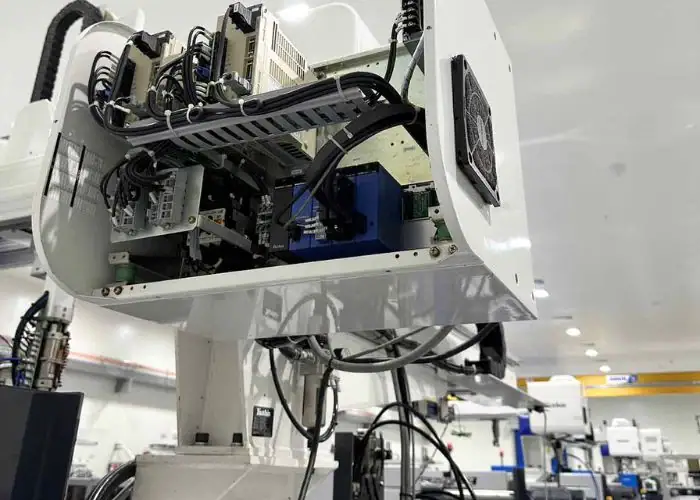
Platform selection should reflect the organization’s long-term automation strategy. A company planning five departmental bots has different requirements from a global enterprise expecting thousands of workflows across finance, HR, supply chain, customer service, and IT.
Easy Automation Development
An RPA platform should make suitable automations efficient to develop while still supporting professional engineering practices for complex workflows.
Visual builders, reusable activities, recording, debugging, testing, templates, and connectors can reduce development time.
UiPath specifically recommends combining low-code tools with features for professional developers such as version control, reusable components, advanced debugging, and automated testing.
Development speed matters, but maintainability matters more over the automation lifecycle. A bot that takes two days to build but requires constant repairs may cost more than a carefully engineered workflow requiring additional initial effort.
Strong Integration Ecosystem
An RPA platform should support strong integration across current enterprise systems, legacy applications, web interfaces, databases, APIs, and third-party technologies.
A broad integration ecosystem reduces the need to create custom connectors for every project.
UiPath recommends platforms capable of combining UI, API, and AI integration and supporting prebuilt connectors and industry-specific automation components.
Before choosing software, companies should test the platform against their actual technology stack rather than relying only on demonstration workflows.
Compatibility with the most difficult legacy application may matter more than having hundreds of connectors that the company will never use.
Centralized Orchestration
An enterprise RPA platform should provide centralized orchestration for bots, queues, schedules, credentials, users, environments, exceptions, and workloads.
As automation scales, manually managing each bot becomes inefficient and risky.
UiPath emphasizes orchestration as increasingly important when automated work includes robots, AI agents, employees, dependencies, and exception paths across complex workflows.
Central control also helps IT teams answer practical questions: Which bot processed this transaction? Which software version was used? Which credential did it access? Why did the workflow fail? Who approved the change?
Security And Governance
An RPA platform should provide security and governance controls that limit access and create traceable, controlled automation.
Important capabilities include:
- Role-based access control
- Credential vaults
- Audit logs
- Encryption
- Approval workflows
- Version control
- Development/production separation
- Policy enforcement
UiPath recommends centralized controls including role-based access, audit trails, exception handling, and dashboards.
Governance becomes particularly important when bots can access payroll, customer, healthcare, banking, supplier, or financial systems.
AI And Intelligent Automation Capabilities
Modern RPA platforms should be able to integrate with AI when workflows require document understanding, language processing, classification, prediction, or more flexible decision support.
Traditional RPA remains valuable for deterministic execution. AI expands what information the automation can understand.
A useful architecture might be:
Document AI Extracts Data → AI Classifies Case → Business Rule Validates → RPA Executes Transaction → Human Reviews Exception
IBM describes intelligent automation as RPA extended with machine learning, natural language processing, and computer vision.
The combination is more capable, but it also requires stronger validation because AI outputs can be probabilistic rather than deterministic.
Flexible Deployment And Scalability
An RPA platform should support a deployment model compatible with the organization’s security, infrastructure, workforce, and scalability requirements.
Possible models include:
- Cloud
- On-premises
- Hybrid
- Desktop
- Virtual machines
- Server-based bots
- Remote environments
UiPath recommends support for cloud, on-premises, and hybrid environments as well as both attended and unattended robots.
The best deployment model depends on data sensitivity, application location, identity architecture, network performance, regulatory requirements, and IT strategy rather than a universal preference.
How Are RPA And Artificial Intelligence Related?
RPA and artificial intelligence are complementary technologies: RPA reliably executes predefined processes, while AI interprets information, recognizes patterns, generates outputs, predicts outcomes, and supports decisions that cannot be expressed easily as fixed rules. Combining them enables more complex intelligent automation.
IBM distinguishes RPA as primarily process-driven and intelligent automation as an extension that incorporates AI technologies such as machine learning, NLP, and computer vision.
| Factor | RPA | AI |
| Main role | Execute tasks | Interpret and decide |
| Logic | Predetermined rules | Models and data |
| Output | Predictable | May be probabilistic |
| Best inputs | Structured | Structured/unstructured |
| Learning | Not inherent | Often model-based |
| Example | Update ERP | Interpret an invoice |
RPA Vs Artificial Intelligence
RPA differs from AI because basic RPA executes rules while AI can interpret information and generate conclusions from patterns or models.
Suppose a company receives one standardized invoice template. An RPA bot may know that the invoice number is always located in a particular field.
If the company receives thousands of invoices in many layouts, an AI document-processing model may first identify the invoice number, supplier, amount, and date. The RPA bot can then take those values and enter them into the accounting system.
SAP similarly distinguishes RPA as rules-based automation from AI systems capable of learning, reasoning, recognizing patterns, and processing language.
RPA And Intelligent Automation
Intelligent automation combines RPA with AI and related technologies to automate processes containing both predictable execution and more variable information.
A typical workflow might be:
AI Reads Email → AI Classifies Request → Rules Verify Policy → RPA Updates System → Human Reviews Exception
The AI component handles interpretation. RPA handles reliable system actions.
This division is important because organizations do not need every step to be intelligent. Many enterprise tasks become more controllable when decision-making and execution are separated.
Intelligent automation is therefore not simply “better RPA.” It is a broader automation architecture in which RPA remains one useful execution technology.
Machine Learning In RPA
Machine learning extends RPA by providing predictions or classifications that the bot can use within an automated workflow.
Examples include:
- Fraud-risk scoring
- Document classification
- Email routing
- Demand prediction
- Anomaly detection
- Customer categorization
The RPA bot can consume the model output and execute the appropriate system workflow.
Because ML predictions are probabilistic, businesses should define confidence thresholds. High-confidence routine cases may proceed automatically, while uncertain or high-impact cases should be routed to human reviewers.
This prevents the automation from treating every machine-learning prediction as an unquestionable fact.
Generative AI And RPA
Generative AI extends RPA by interpreting language, summarizing documents, generating text, extracting information, and helping users interact with automation through natural language.
UiPath frames the current relationship as complementary: AI agents can reason and make decisions, while RPA provides predictable execution across enterprise applications.
A generative AI model might interpret a customer request and determine that a refund workflow is appropriate. RPA can then open the transaction system, enter the approved refund, update the CRM, and send a standardized confirmation.
The higher the autonomy, the more important auditability, approval thresholds, security, and rollback procedures become.
AI Agents And RPA Bots
AI agents and RPA bots differ because agents can plan or decide how to pursue a goal, while RPA bots are optimized for reliably performing specific defined actions.
Automation Anywhere describes RPA as an execution layer that agentic automation can call when actions must be completed across enterprise systems.
For example, an AI agent may identify that an order requires credit approval, determine which policy applies, and decide the next action. An RPA bot can then perform the approved updates across ERP, CRM, and inventory systems.
This architecture separates reasoning from execution and can make complex automation easier to govern than giving one AI system unrestricted control over every application.
How Do You Implement Robotic Process Automation?
You implement robotic process automation by identifying suitable high-value processes, defining measurable business goals, standardizing the workflow, selecting appropriate software, developing and testing the automation, deploying it gradually, measuring results, and establishing governance before scaling.
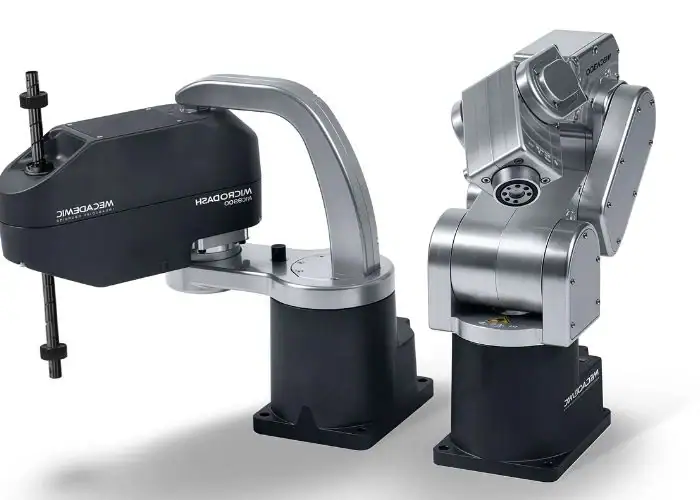
The biggest implementation mistake is beginning with the question “Which tool should we buy?” rather than “Which process should we improve?” Automation technology should follow the business case.
Identify High-Value Automation Opportunities
High-value RPA opportunities combine meaningful manual effort with predictable workflows and sufficient process stability.
Businesses should measure:
- Monthly transaction volume
- Manual processing time
- Error and rework rate
- Labor cost
- Exception rate
- Process stability
- SLA requirements
- Business impact
A task taking ten minutes but occurring twice per month may provide little automation value. A two-minute task repeated100,000times may represent a substantial opportunity.
Process selection therefore needs actual operational data rather than subjective impressions about which work feels repetitive.
Engage Stakeholders And Define Business Goals
RPA projects should begin with clearly defined business goals shared by process owners, employees, IT, security, finance, and other relevant stakeholders.
A useful goal is measurable:
Reduce invoice processing time from12minutes to4minutes.
“Use RPA to improve productivity” is too vague.
Clear targets make ROI measurable and help teams decide which exceptions or process redesigns deserve development effort.
Employees who perform the process should also participate because they usually know practical exceptions and undocumented workarounds that are missing from official procedures.
Standardize And Optimize The Process
The process should be simplified and standardized before automation begins.
A workflow containing duplicate approvals, obsolete reports, unnecessary data entry, inconsistent field names, and informal exceptions should not simply be converted directly into a bot.
Automation should remove unnecessary work where possible.
A useful principle is:
Simplify → Standardize → Automate
This reduces the number of steps the bot must maintain and usually increases reliability.
RPA cannot fix an unclear business policy. If employees disagree about how a transaction should be handled, that logic must be resolved before the workflow can become deterministic.
Select The Right RPA Software
RPA software should be selected according to application compatibility, workflow complexity, security requirements, development capability, scalability, orchestration, AI integration, deployment architecture, and total lifecycle cost.
Businesses evaluating robotic process automation services or software should test realistic use cases rather than relying only on vendor demonstrations.
Questions should include:
- Does it work reliably with our legacy systems?
- Can credentials be centrally controlled?
- Can we test and version workflows?
- Can it manage unattended bots?
- How are exceptions monitored?
- Can it integrate through APIs?
- What happens during application upgrades?
The best platform is the one that fits the actual operating environment, not necessarily the one with the longest feature list.
Build And Test The Automation
RPA automation should be built and tested against normal transactions, exceptions, invalid data, application outages, timeouts, credential failures, and realistic transaction volumes.
A bot is not production-ready simply because it successfully completes one demonstration case.
Testing should validate both technical execution and business results.
If the bot processes an invoice successfully but applies the wrong tax rule, the automation has failed even though no software error occurred.
Teams should also test recovery behavior. When an ERP system becomes unavailable halfway through a transaction, the bot must know whether to retry, pause, reverse the transaction, or route the case to an employee.
Start Small And Scale Iteratively
RPA programs should usually start with manageable, measurable workflows and expand after development, operations, and governance practices have been proven.
Initial projects help organizations establish standards for documentation, testing, security, ownership, deployment, monitoring, and support.
Scaling too quickly can create hundreds of fragile bots with inconsistent development practices.
SAP notes that scalability becomes an important planning issue as organizations move toward managing hundreds or thousands of automated workflows.
The goal should therefore be repeatable automation capability, not simply the largest possible number of bots.
Establish Governance And A Center Of Excellence
RPA governance defines how automations are selected, developed, secured, tested, approved, deployed, monitored, changed, and eventually retired.
Larger organizations may establish an automation Center of Excellence to coordinate standards, architecture, reusable components, training, ownership, and performance measurement.
Governance prevents individual departments from creating uncontrolled bots with overlapping functions or excessive access permissions.
It also makes scaling more economical because future projects can reuse tested components, security patterns, documentation, and operational practices.
What Are The Challenges And Limitations Of RPA?
The main RPA challenges are poor process design, UI fragility, inconsistent or unstructured data, exception handling, maintenance, security, governance, organizational adoption, and difficulty scaling large numbers of bots across changing enterprise systems.
SAP specifically notes that UI changes can disrupt automations, exceptions frequently require human intervention, and enterprise scaling creates governance and integration challenges.
Poorly Designed Processes
Poorly designed processes remain inefficient even after they are automated.
A company may automate an eight-step workflow and reduce processing time substantially, only to discover that three of those steps were unnecessary from the beginning.
RPA should therefore follow process analysis rather than replace it.
Teams should question why each field, approval, handoff, spreadsheet, and system interaction exists before reproducing it automatically.
The most valuable outcome may be eliminating a process step rather than automating it.
This is why process discovery and optimization should occur before bot development, particularly for workflows crossing several departments.
Difficulty Scaling Automation
RPA becomes harder to manage as organizations move from a few bots to hundreds of workflows across multiple teams and business systems.
Automation Anywhere identifies process discovery, data, governance, maintenance, and resilience among considerations when scaling RPA.
Without standardization, different teams may develop similar bots independently, use inconsistent security practices, duplicate integrations, and create workflows that are difficult for central IT to support.
Scaling requires architecture, orchestration, reusable components, naming standards, documentation, ownership, monitoring, change management, and lifecycle governance.
Unstructured Or Inconsistent Data
Unstructured and inconsistent data limits traditional RPA because bots perform best when inputs are predictable and clearly defined.
Free-form emails, scanned contracts, photographs, handwritten forms, long documents, and inconsistent spreadsheets can create difficulties for purely rules-based workflows.
AI technologies can help convert these inputs into more structured information.
However, extraction accuracy should be measured before full automation. If an AI model is only90% confident about a financial field, organizations need rules for whether the transaction proceeds or is routed to a human.
Automating uncertainty requires different controls from automating deterministic data.
Application And Interface Changes
Application and interface changes can break RPA bots when workflows depend on screen elements, navigation sequences, labels, window locations, or other interface behavior.
SAP highlights this dependency as a maintenance challenge because even relatively small application changes may disrupt UI-based bots.
More robust automation uses stable element selectors, APIs where appropriate, controlled application versions, regression testing, and monitoring.
Organizations should also communicate planned software upgrades to automation teams so bots can be tested before production changes occur.
Maintenance And Bot Resilience
RPA requires ongoing maintenance because business rules, software systems, credentials, data formats, operating systems, and organizational requirements change.
A production bot should therefore have a defined owner and support model.
Teams need to know:
- Who receives failure alerts?
- Who can modify the workflow?
- How is a change tested?
- How are versions managed?
- What happens during downtime?
- How is a bot retired?
Resilience is part of the design rather than something added after failures begin. Critical automations may require retries, queue recovery, duplicate prevention, checkpoints, fallback logic, and human escalation.
Security, Compliance, And Governance
RPA can create security risks because bots may require access to sensitive enterprise systems and data.
A bot used for payroll or payments should not store passwords in an unsecured script or use a shared administrator account.
Enterprise programs should apply least-privilege permissions, centralized credential management, encryption, audit trails, controlled deployment, environment separation, and approval workflows.
UiPath identifies role-based access, auditability, centralized management, and governance as important platform capabilities.
Security becomes even more important when RPA is connected to AI agents capable of initiating actions more autonomously.
Organizational Resistance To Automation
Organizational resistance can limit RPA success when employees view automation as a threat, are excluded from process redesign, or do not trust the resulting workflows.
Employees closest to the process often know unusual exceptions that documentation does not show.
Including them in automation discovery can therefore improve both technical accuracy and adoption.
Companies should also explain how responsibilities will change after automation. When repetitive tasks disappear, employees need clarity about the higher-value work that replaces them.
RPA implementation is partly a technology project but also a process and change-management project.
What Is The Future Of Robotic Process Automation?
The future of robotic process automation is increasingly connected to AI-enhanced workflows, agentic automation, end-to-end orchestration, flexible integrations, stronger governance, and human oversight rather than standalone bots that automate isolated screen actions.
UiPath and Automation Anywhere both currently position RPA as an execution layer inside broader AI and agentic automation architectures rather than as a technology being eliminated by AI.
AI-Enhanced RPA
AI-enhanced RPA will expand automation into processes involving documents, language, images, classification, prediction, and other information that traditional rules cannot interpret efficiently.
The key architecture will often separate interpretation from execution.
AI can determine what information means, while RPA performs controlled system actions based on approved outputs.
This creates more flexible automation while preserving deterministic execution where reliability matters.
The tradeoff is governance. AI models can generate uncertain or incorrect outputs, so organizations must establish confidence thresholds, review requirements, logging, monitoring, and rollback procedures.
Agentic Process Automation
Agentic process automation combines AI agents capable of planning and decision-making with RPA bots capable of executing reliable digital actions.
Automation Anywhere describes RPA as a core execution mechanism that agents and broader automation systems can call to complete tasks across enterprise applications.
For example, an agent may analyze an incoming order, evaluate policy conditions, determine that it can proceed, and instruct an RPA bot to create the transaction in ERP.
The agent provides adaptive reasoning, RPA performs the predictable application interaction.
This division may become increasingly important as companies want more intelligent automation without giving probabilistic models uncontrolled access to sensitive systems.
End-To-End Process Orchestration
End-to-end orchestration coordinates RPA, APIs, AI, business rules, people, and applications across an entire business process.
Traditional RPA projects often automate individual tasks. Future architectures increasingly focus on complete outcomes such as order-to-cash, claims processing, employee onboarding, or customer-service resolution.
UiPath describes orchestration as coordinating robots, AI agents, and people within longer and more complex workflows.
The benefit is reduced fragmentation. Instead of maintaining dozens of disconnected bots, organizations can coordinate automation resources around the complete lifecycle of a transaction.
More Autonomous Enterprise Automation
Enterprise automation will become more autonomous as systems increasingly detect events, analyze information, determine next actions, execute transactions, monitor results, and resolve routine exceptions.
However, greater autonomy does not mean eliminating people from every process.
Humans remain important for unusual cases, sensitive approvals, policy decisions, accountability, customer relationships, and decisions with significant financial or legal consequences.
The engineering challenge is therefore deciding where autonomy creates value and where human control should remain mandatory.
Automation architecture should reflect business risk rather than pursuing maximum autonomy as an objective by itself.
Stronger Governance And Human Oversight
Governance and human oversight will become more important as RPA, AI, and autonomous agents gain broader access to enterprise systems.
Organizations need to be able to answer:
- What triggered this workflow?
- Which data was used?
- Which system or model made the decision?
- Which bot performed the action?
- Who approved sensitive transactions?
- What exceptions occurred?
- Can the action be reversed?
UiPath emphasizes governance, auditability, centralized management, and controlled execution as important characteristics of modern automation platforms.
The more powerful automation becomes, the more valuable traceability and accountability become as well.
FAQs
How Is RPA Different From AI?
RPA and AI differ because RPA follows predefined process rules, while AI interprets data, recognizes patterns, learns from models, or generates decisions. RPA is suited to deterministic tasks such as copying data or updating ERP records, AI handles less structured work such as document classification or language analysis. IBM describes RPA as process-driven and intelligent automation as adding machine learning, NLP, and computer vision. In many systems, AI interprets the input and RPA executes the approved action.
Which Is Better, RPA Or Python?
Neither RPA nor Python is universally better. RPA is usually better for low-code business-process automation across desktop and enterprise applications, especially when orchestration, credential management, UI automation, monitoring, and governance are required. Python provides greater flexibility for APIs, algorithms, data processing, machine learning, and custom integrations but requires stronger programming and deployment skills. For complex enterprise automation, the two can be complementary: Python can perform specialized processing while an RPA platform controls workflow execution across business systems.
How Does Robotic Process Automation Differ From Intelligent Automation?
Robotic process automation differs from intelligent automation because traditional RPA executes structured, rules-based tasks, while intelligent automation adds AI technologies such as machine learning, natural language processing, computer vision, and document understanding. RPA may enter known invoice values into an ERP, while intelligent automation can first identify those values from different invoice layouts. IBM describes intelligent automation as an extension of RPA with AI capabilities, allowing workflows to handle more variable inputs and decisions.
What Are RPA Tools?
RPA tools are software platforms used to build, deploy, execute, schedule, monitor, secure, and manage software bots. Modern robotic process automation tools typically provide visual development, UI automation, APIs, connectors, workflow orchestration, queues, credential management, analytics, testing, and governance. Enterprise platforms may also include AI and document-processing capabilities. When comparing tools, businesses should evaluate application compatibility, security, deployment model, scalability, maintenance, orchestration, AI integration, and total lifecycle cost rather than choosing solely by license price.
What Is Robotic Process Automation In Banking?
Robotic process automation in banking uses software bots to automate repetitive financial processes such as customer onboarding, account administration, loan-document checks, reconciliation, regulatory reporting, transaction processing, and data transfer. Automation Anywhere identifies onboarding, loan processing, and compliance reporting as common financial-service RPA applications. One vendor case reports more than40,000documents processed in14days using AI-enhanced automation, though individual results vary. Banking deployments require strong access control, audit trails, exception handling, security, and human oversight.
Conclusion
Robotic process automation uses software bots to execute repetitive, rules-based digital tasks across applications, making it particularly effective for stable, high-volume workflows with structured data and predictable decisions. Successful RPA depends on choosing the right process, simplifying it before automation, selecting suitable software, managing exceptions, measuring ROI, and maintaining security and governance as the program scales.
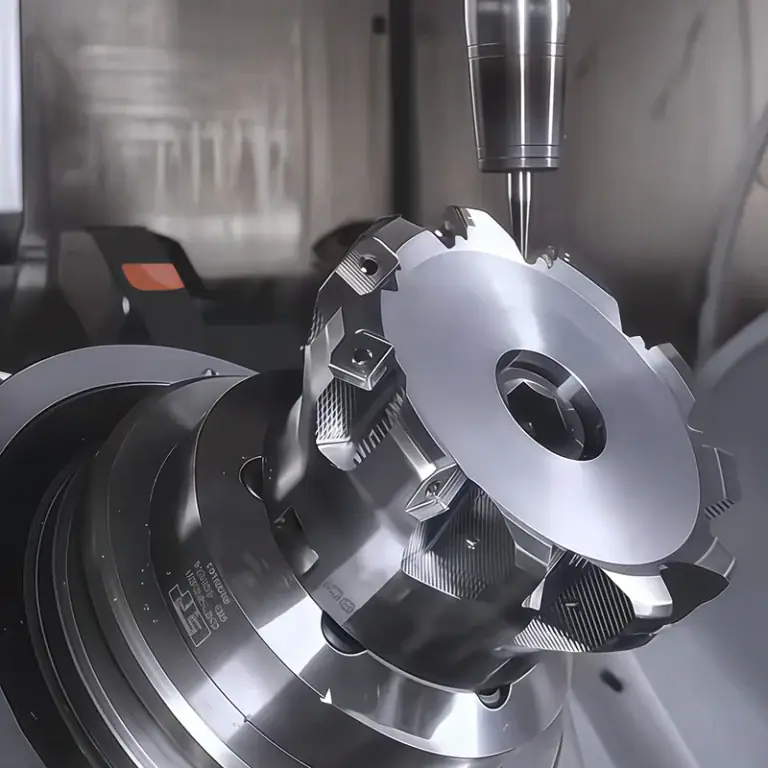
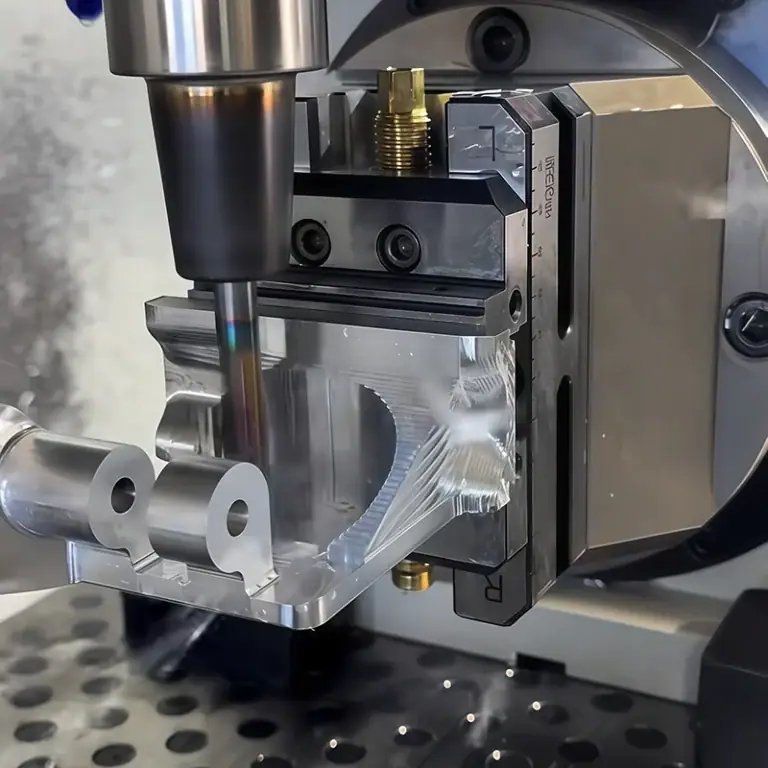
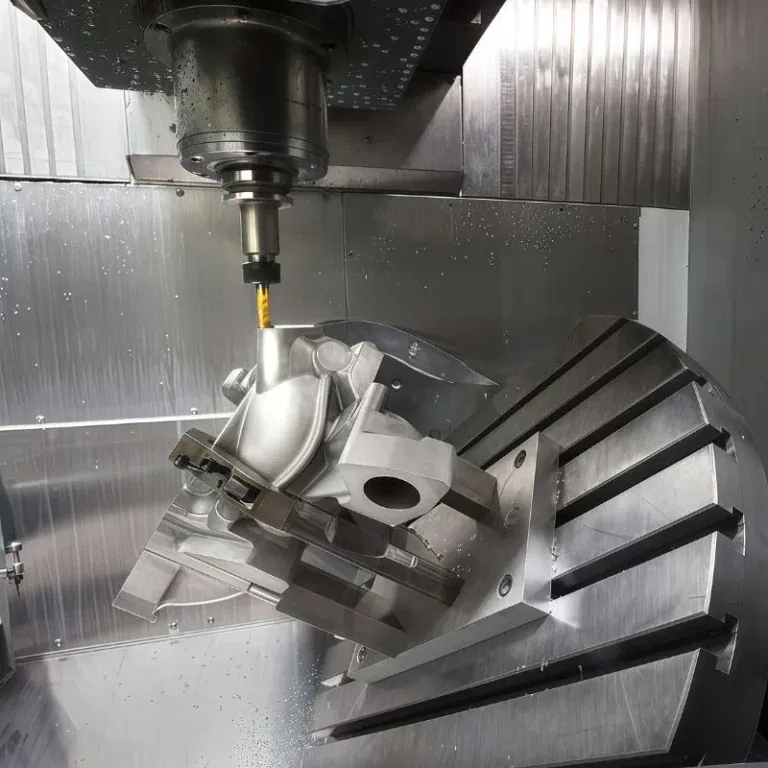
At TiRapid, our expertise is in precision manufacturing for physical automation rather than software RPA. We provide precision CNC machining and manufacturing services for custom components used in robotics, automated equipment, electronics, semiconductor systems, and industrial machinery, including CNC milling, CNC turning, 5-axis machining, engineering materials, surface finishing, and dimensional inspection.